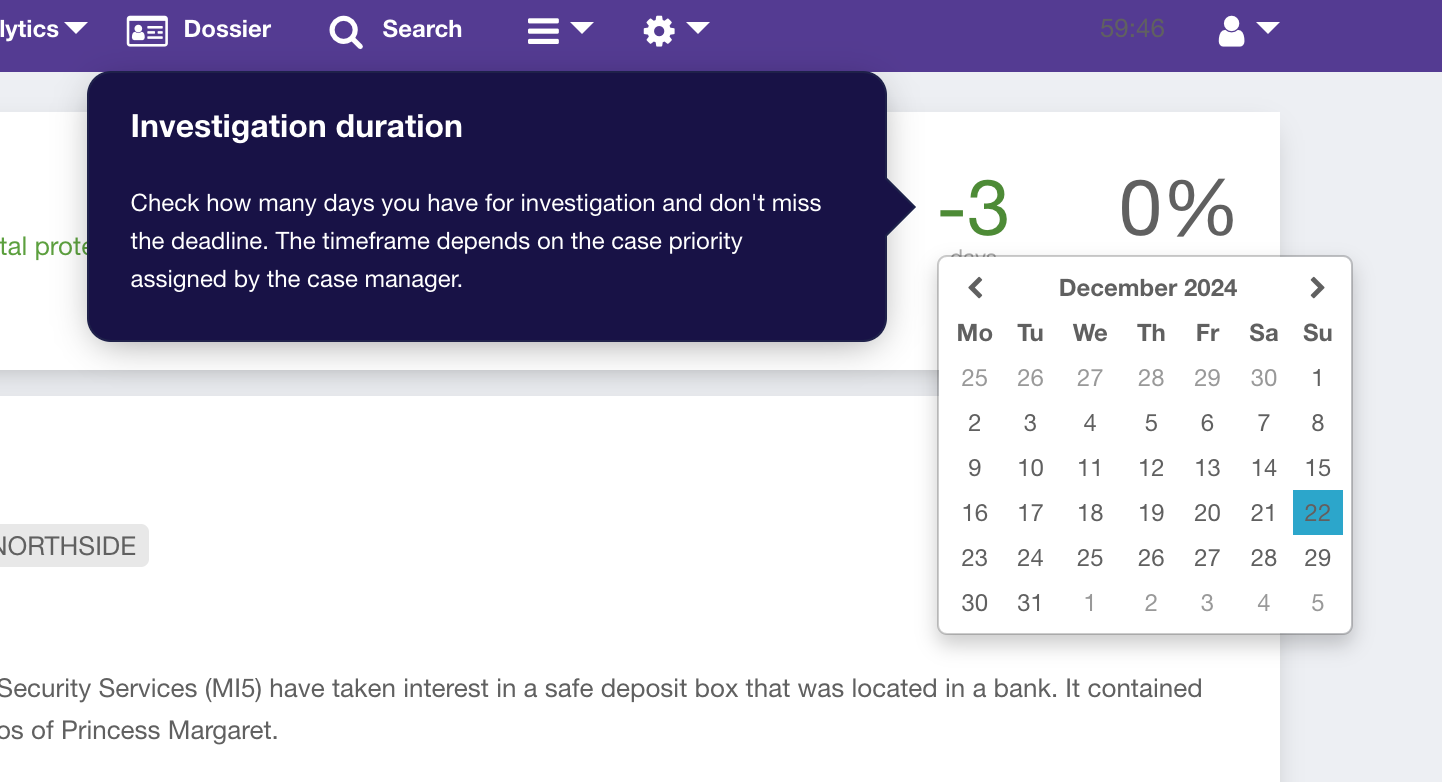
Managing cases effectively requires flexibility and precision, which is why we have introduced the ability to assign due dates to cases. This feature allows you to easily modify case deadlines when additional time is needed to process a case.
By keeping your timelines up to date, you can ensure that your analytics remain accurate and reflect healthy case management practices.
How It Works
Each case can have an investigation due date based on its assigned priority. The system tracks the remaining investigation time and displays it directly in the case view.
The Investigation Duration widget shows:
- The number of days remaining until the deadline
- Whether the case is overdue
- Deadline calculations based on the case priority assigned by the case manager
Assign or Edit a Due Date
- Open the required case.
- Locate the Due Date field and click on it.
- Select the appropriate deadline date.
- Done - due date is set!
Benefits
- Better control over investigation timelines
- Improved compliance with internal SLAs and policies
- More accurate analytics and reporting
- Easier identification of overdue or delayed investigations
Notes
- Due dates may depend on the case priority configuration.
- Only users with appropriate permissions can modify deadlines.
- Updating the due date immediately affects analytics and dashboard indicators.