
The Incident–Event Analysis section allows you to collect and maintain structured information about the incident directly within a case.
Unlike incident information collected only during case registration, attributes in Incident–Event Analysis can be added and updated as the investigation develops. This helps keep incident data consistent while allowing the case record to reflect new information discovered later.
What Incident–Event Analysis is
Incident–Event Analysis is a dedicated section within a case for recording structured attributes that describe the incident itself.
Depending on your organisation's configuration, these attributes may cover information such as:
type of allegation;
incident characteristics;
affected area or process;
relevant classifications;
impact-related information;
other organisation-specific incident attributes.
The exact set of attributes depends on how Incident–Event Analysis is configured for your organisation.
Why use Incident–Event Analysis
Previously, structured incident information could primarily be collected through the registration form.
This meant that information was closely tied to the initial submission. If relevant details became known later, maintaining the same structured information throughout the investigation could be difficult.
Incident–Event Analysis allows you to keep this information as part of the active case record.
You can:
add incident attributes after the case has already been registered;
update existing attributes as new information becomes available;
use the same structured attributes consistently across different cases;
keep incident information together with the investigation.
Where to find Incident–Event Analysis
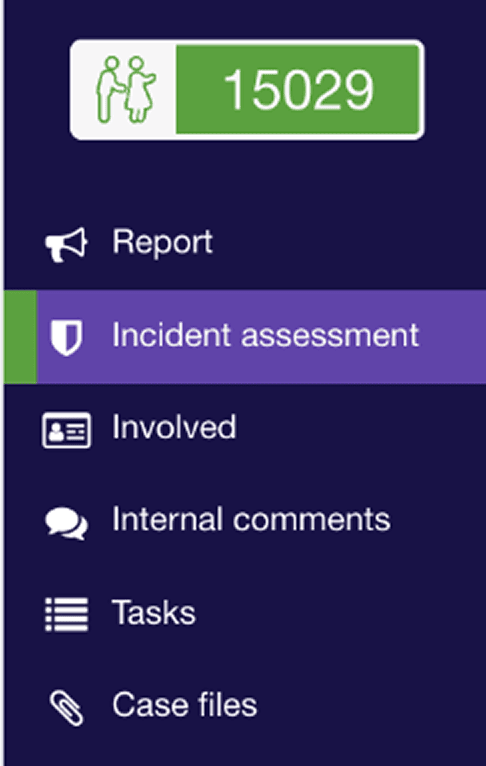
- Open the required case.
- Go to the Incident–Event Analysis section.
- Review the incident attributes available for the case.
The section displays the attributes configured for your organisation.
Add incident attributes
You can add structured incident information whenever the relevant details become known.
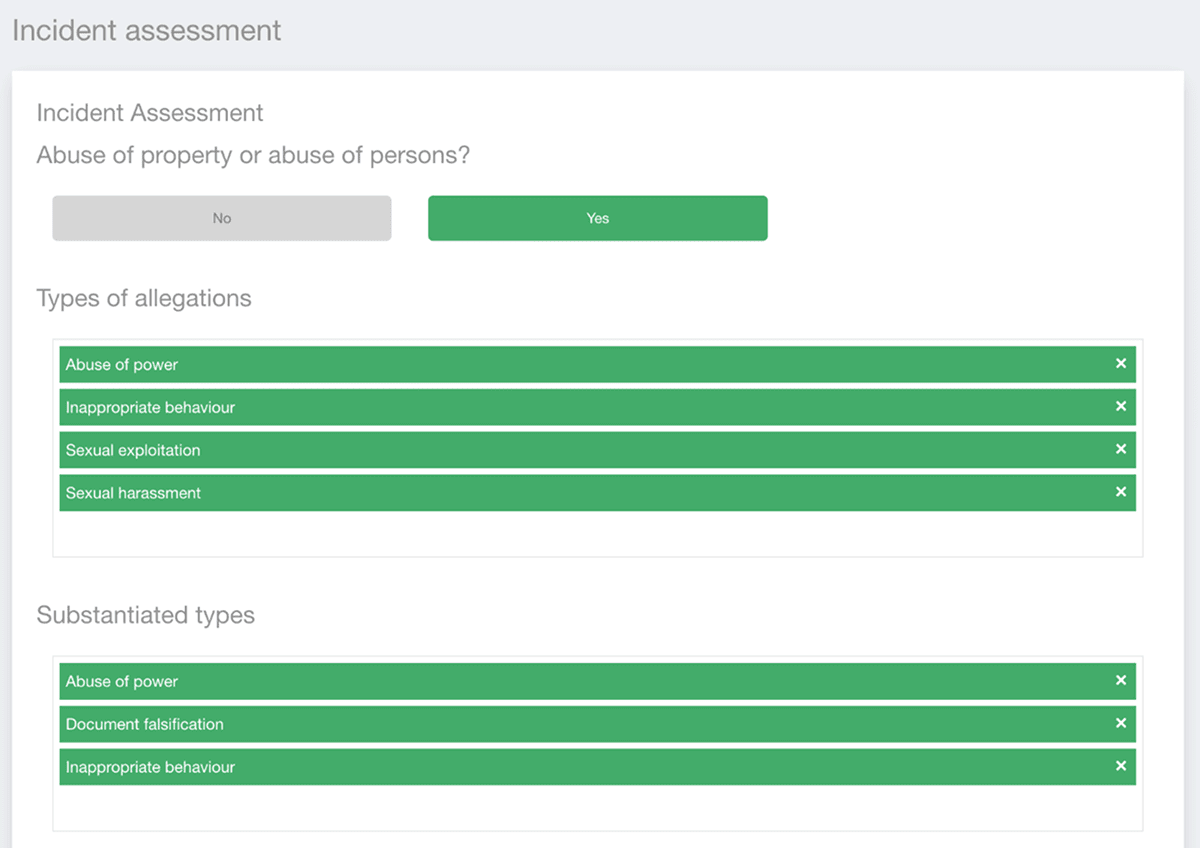
To add an attribute:
Open the case.
Go to Incident–Event Analysis.
Select the relevant incident attribute.
Choose or enter the applicable value.
Save the changes.
You do not need to complete every incident attribute at the time the case is first registered.
For example, a case may initially be classified only at a general level. Once the investigation provides more information, additional attributes can be added to describe the incident more precisely.
Update incident information during the investigation
Incident attributes remain editable after case registration.
If new evidence or investigation findings change how the incident should be described, update the relevant attribute in Incident–Event Analysis.
For example, you may need to update information when:
additional facts are confirmed;
the scope of the incident becomes clearer;
a more specific classification becomes appropriate;
the affected process or area is identified;
the assessed characteristics of the incident change.
This allows the structured incident record to develop together with the investigation rather than remaining fixed at the point of registration.
Use standardised attributes across cases
Incident–Event Analysis uses structured attributes instead of relying only on free-text descriptions.
Using the same attribute structure across cases makes incident information more consistent and easier to compare.
For example, if the same incident characteristic is recorded using the same configured attribute across multiple cases, those records can be analysed more consistently than if the information appears only in narrative descriptions.
Registration data and Incident–Event Analysis
Incident–Event Analysis does not replace the information collected during case registration.
Registration information records what is known when the report is first submitted.
Incident–Event Analysis provides a separate structured layer that can continue to develop after registration.
A typical workflow may look like this:
A report is registered with the information available at that time.
The case is reviewed or investigated.
Additional facts become known.
Relevant incident attributes are added or updated in Incident–Event Analysis.
The case keeps the latest structured incident information together with the investigation record.
What happens after an attribute is updated
After you save a change, the updated incident information remains associated with the case.
This helps maintain a consistent incident record while the investigation continues.
Because the information is stored as structured attributes, it can also provide a more consistent basis for comparing incident information across cases and for further analytical use where supported by your organisation's configuration.
Notes
Incident–Event Analysis can be used after a case has already been registered.
Incident attributes can be added or updated as the investigation develops.
The available attributes depend on your organisation's configuration.
Incident–Event Analysis supplements the original registration information; it does not replace the original report.
Structured attributes help maintain more consistent incident information across cases.
Access to view or edit Incident–Event Analysis may depend on your user permissions.